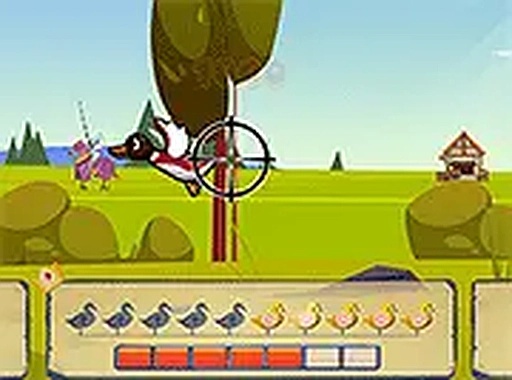
Duck Hunter: Medieval Shooting Game
Duck Hunter: The Middle Ages is a free online arcade shooting game where you defend your kingdom by shooting helmeted ducks. Use your crossbow to target their weak spots. Play in your browser on mobile or desktop with no download needed. It offers a family-friendly medieval twist on classic duck hunting.
Reviews
Simple aiming mechanics with a fun medieval theme. Great for quick, family-friendly play sessions.
About this game
Game Introduction
Duck Hunter: The Middle Ages brings a medieval twist to classic arcade shooting. In this free online game, you take on the role of a crossbowman defending your kingdom from a flock of helmeted ducks. These are no ordinary ducks; they wear protective helmets, so you must aim carefully at their exposed weak spots to bring them down. The game runs directly in your browser on both mobile and desktop devices, offering a seamless experience without any downloads or installations. It is a family-friendly adventure that combines simple shooting mechanics with a charming medieval setting, making it suitable for players of all ages. Step into the battlefield and see how many ducks you can shoot down.
How to Play
Playing Duck Hunter: The Middle Ages is straightforward. Use your mouse on a computer or your finger on a touchscreen device to aim your crossbow at the flying ducks. The ducks wear helmets, so you need to target their weak spots, such as their bodies or heads, to score a hit. Each successful shot earns you points. The controls are responsive and allow for quick aiming and shooting. You can play in full screen mode for a more immersive experience. Simply click or tap to fire your crossbow. The game is easy to learn but challenging to master, as the ducks move faster and become more evasive as you progress. Practice your aim and reflexes to become the ultimate crossbow champion.
Game Features
The game features a medieval-themed duck shooting experience with crossbow mechanics. Ducks wear helmets, requiring you to aim for weak spots. It is free to play on both mobile and desktop devices. A full screen mode is available for an immersive experience. The controls are simple and responsive, making it easy for anyone to start playing.
Tips for Success
To succeed in Duck Hunter: The Middle Ages, focus on aiming for the weak spots of the ducks, such as their bodies or heads, as the helmets protect them. Practice your timing and accuracy to handle faster and more evasive ducks as you progress. Use full screen mode to improve visibility and reduce distractions. Stay patient and keep practicing to improve your reflexes and become a top crossbowman.